All Apps
/
Shop Floor Portal

Shop Floor Portal
No reviews yet
Versions:
19.0
$ 30.00
Required Apps: hr, portal, mrp, mrp_workorder, quality_mrp
Description:
The Manufacturer Shop Floor Portal for Odoo empowers manufacturing staff to manage work orders, track time with Start/Stop functionality, and view component availability directly from the website interface. It provides a dedicated shop floor control system for internal and external users without backend access. Fully compatible with Odoo Community and Enterprise.
Manufacturer Shop Floor Portal
Works for Both Internal and External/Portal Users
Any User you assigned/give access will have the App/Menu on Portal side
Once you install, you will get the below features:
Main Features
- View and Track all assigned work orders
- Smart filters
- View the component whether its available OR not and Quantity to be used
- Start and Stop working feature as like in backend
- All Team Timesheet who worked on the same work order
- Fully integrated with backend
Configuration
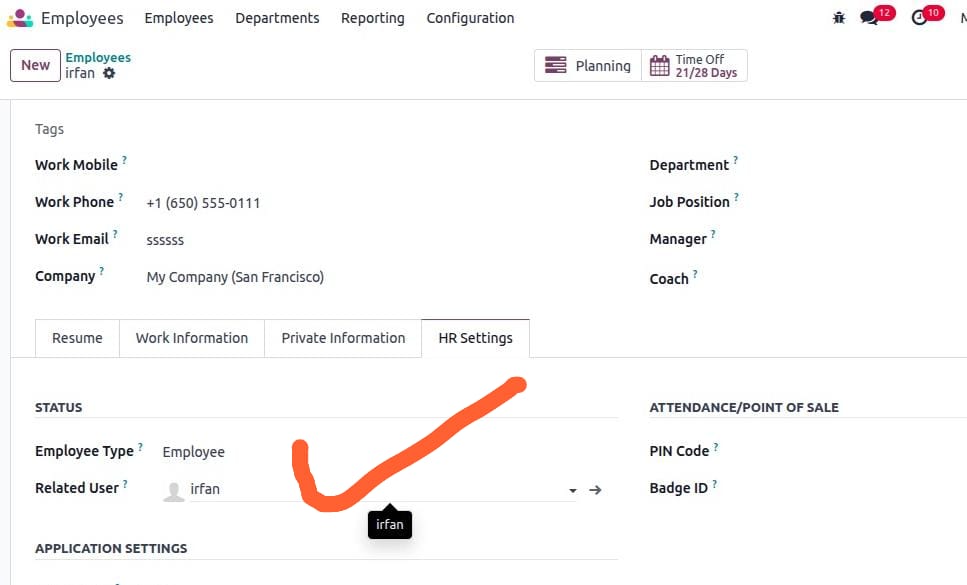
- Make sure the employee is linked with the user; check and confirm.
- Go to Employee -> open profile -> HR Settings tab.
- In the user field, select the user.
- Next go to Settings --> Users & Companies --> click on Groups .
- Search or select the Group ['Custom Portal - Shop Floor Access'] and click to open.
- Add users in the order line .
Remember only assigned group menus will be visible to the user
Now the portal User will see
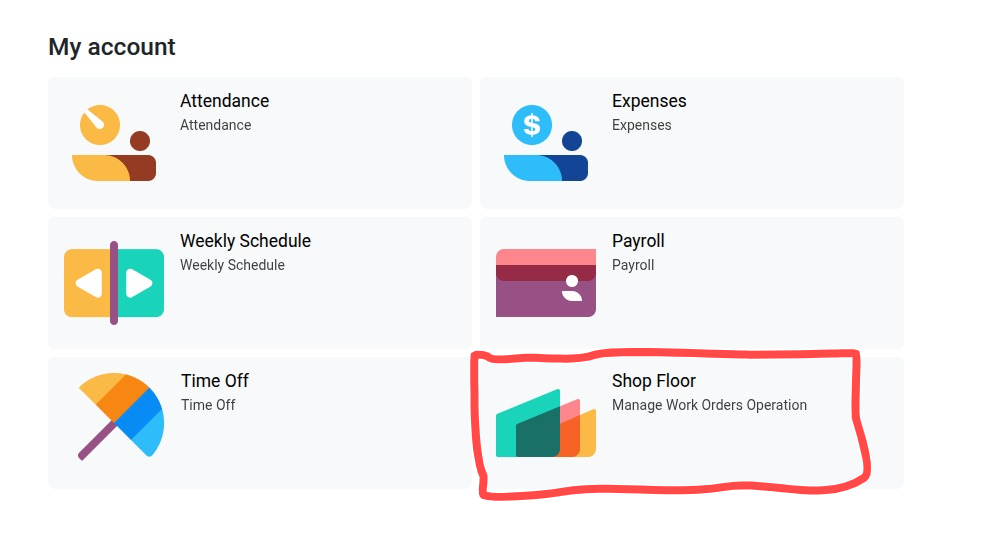
Now the Employee/User can see Shop Floor Orders Menus/App on Portal
Click to Open
After clicking by default User will view their Work Orders
Each Work Order having the Production Order details
Filters
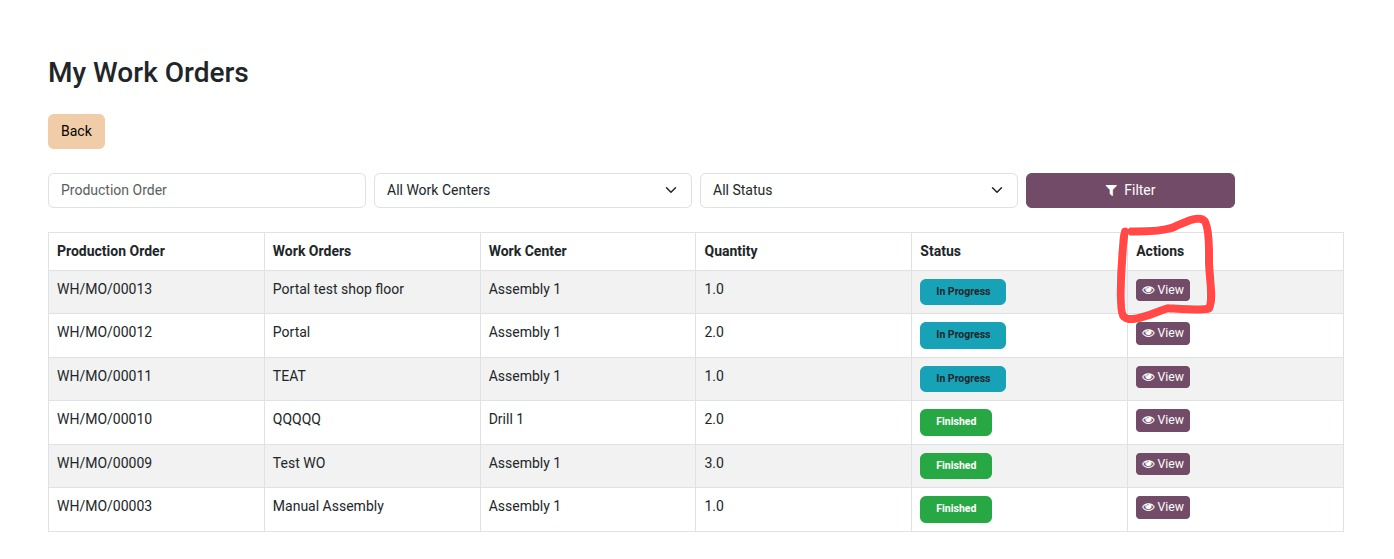
View Button
To view the details of the Production Order Click on the View Icon
Start and Stop working smart button
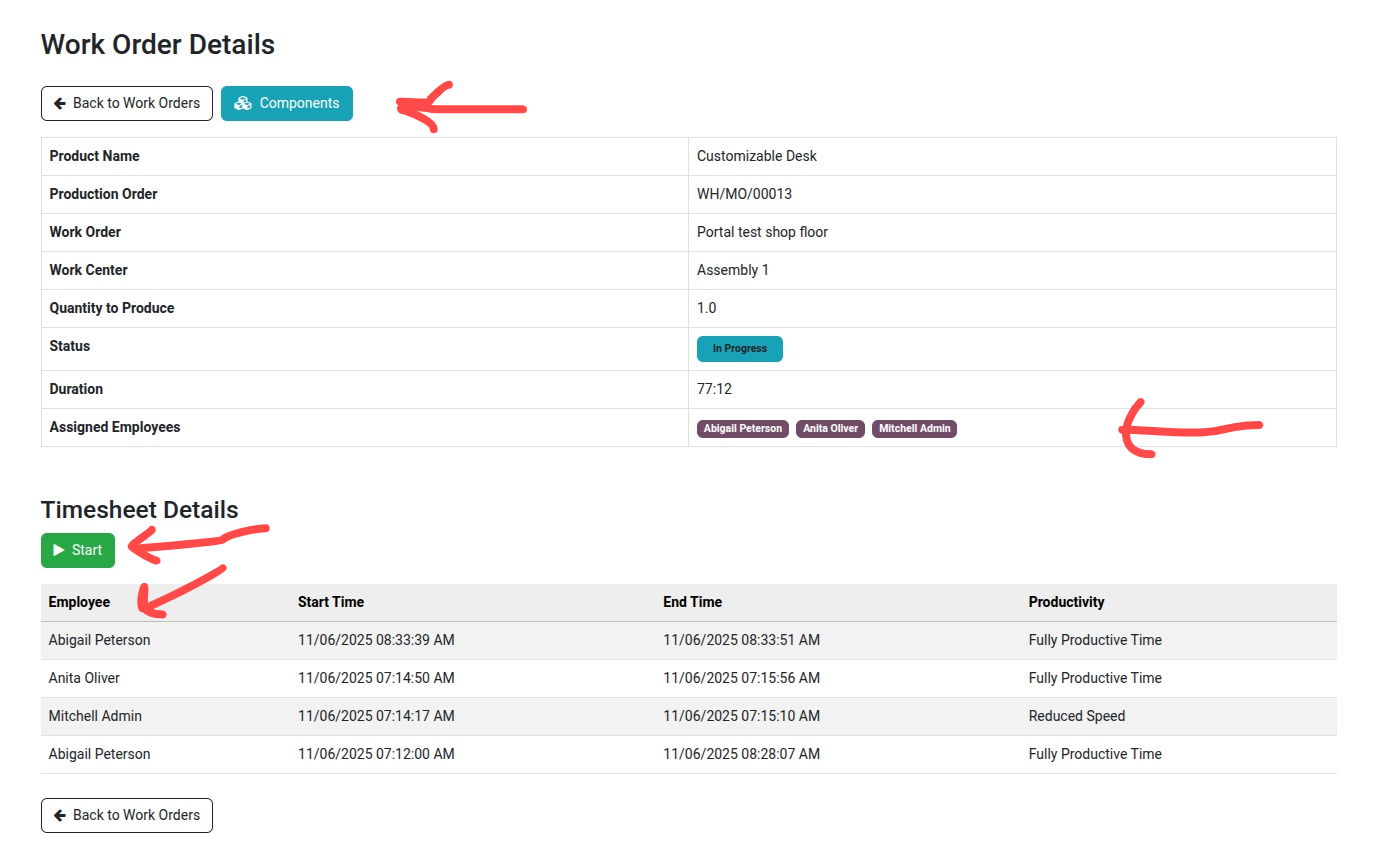
To view the Components details click on its Smart button in the top second left
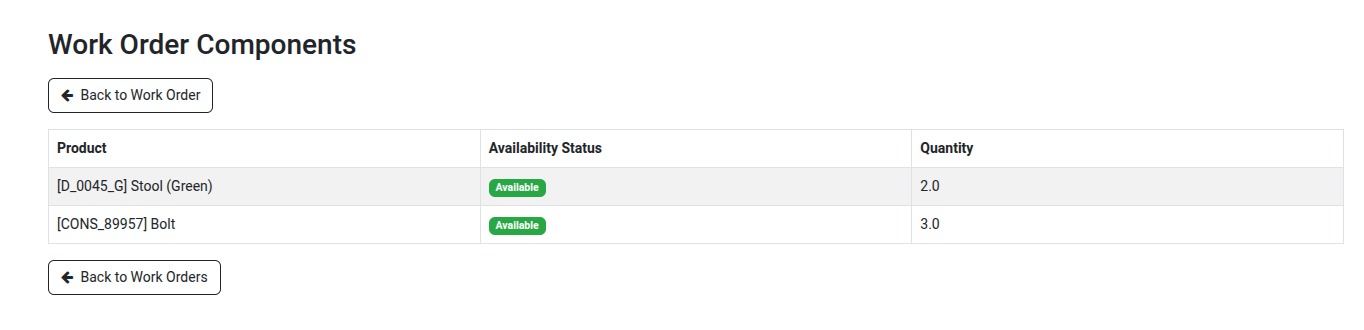
Every thing as same working like in backend
Thanks for choosing my solution
Timesheet Portal Demo Video
Click to watch on YouTube