All Apps
/
Expense Portal

Description:
The Employee Expense Portal for Odoo enables staff to record expenses and submit invoice receipts directly from the website portal. Users can create reports, attach bills, and track approval status without needing backend access. A secure, user-friendly solution compatible with both Odoo Community and Enterprise editions.
Employee Expense Portal
Work on both Community and Enterprise
Works for Both Internal and External/Portal Users
Any User you assigned/give access will have the App/Menu on Portal side
Once you install, you will get the below features:
Main Features
- Employee can view and create/record new Expense
- Employee can also submit the invoice/bill receipt (multiple)
- Employee can submit and reset to draft
- Employee can edit and refuse
- Fully integrated with backend
Configuration
- Make sure the employee is linked with User; check and confirm.
- Go to Employee → open profile → HR Settings tab.
- In the user field, select the User.
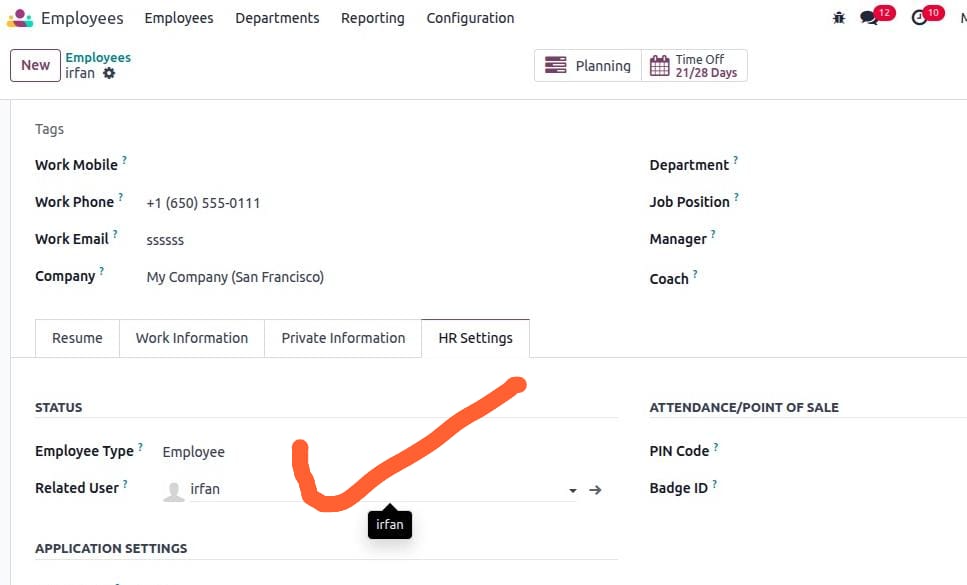
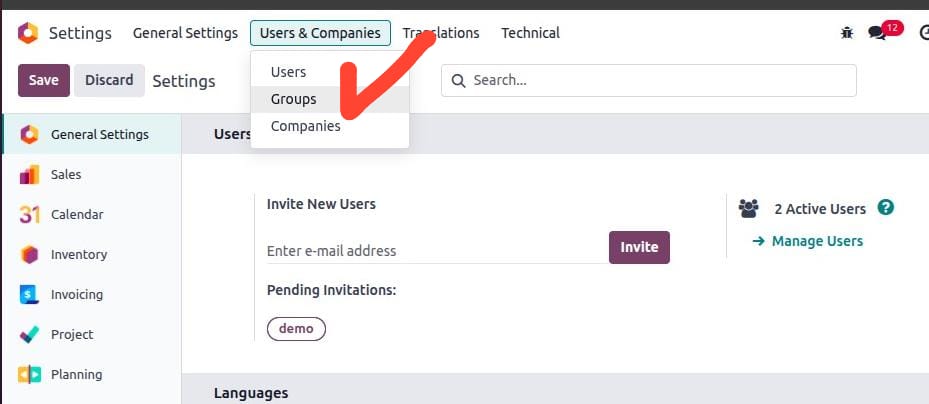
- Next go to Settings → Users & Companies → click on Groups (developer mode must be activated).
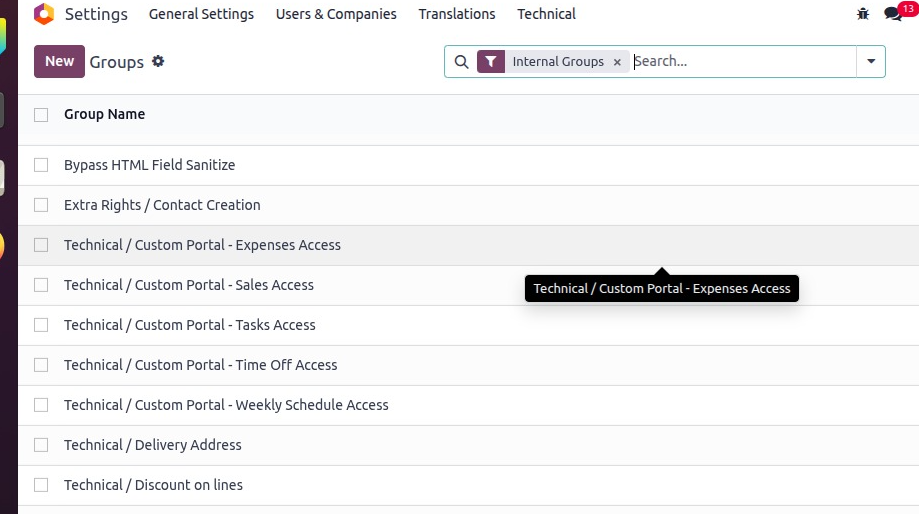
- Search or select the Group ['Custom Portal - Expenses Access'] and click to open.
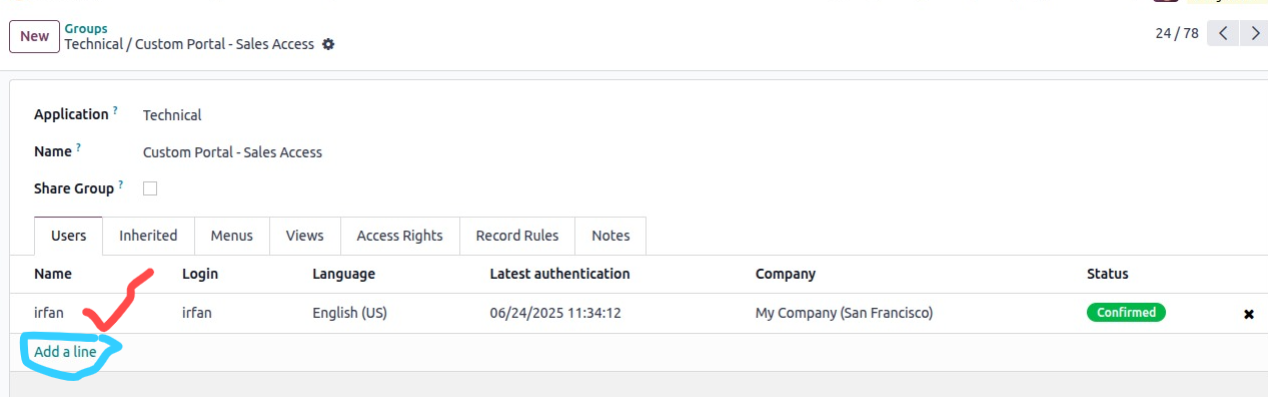
- Add users in the order line.
Remember only assigned group menus will be visible to the user
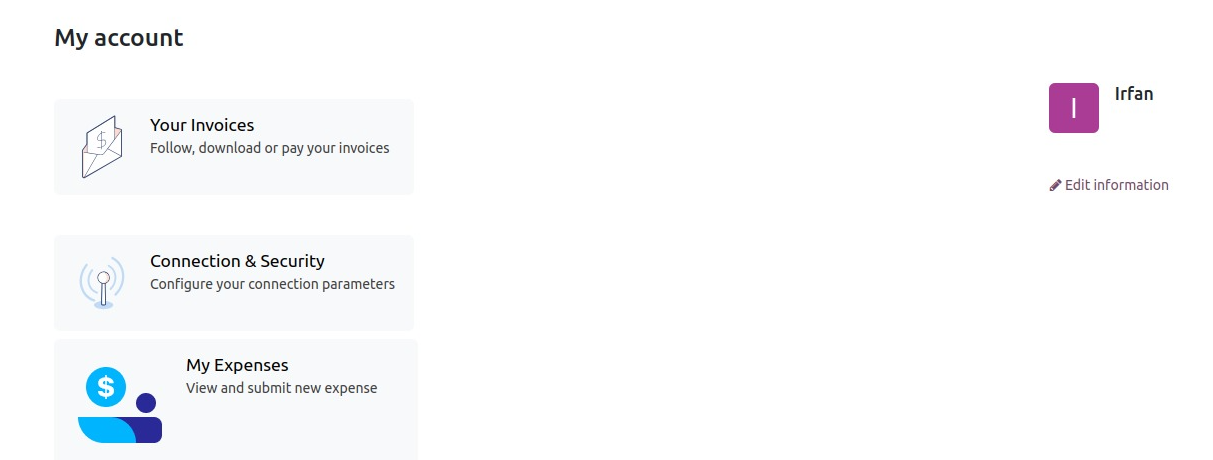
- Open expense by clicking on it; default view for expenses.
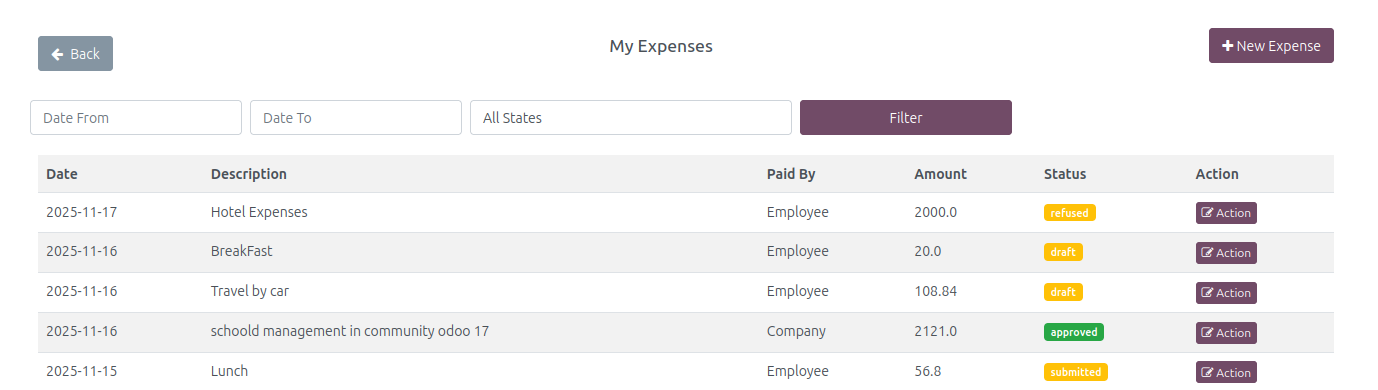
- On the top right corner, click Record New Expense.
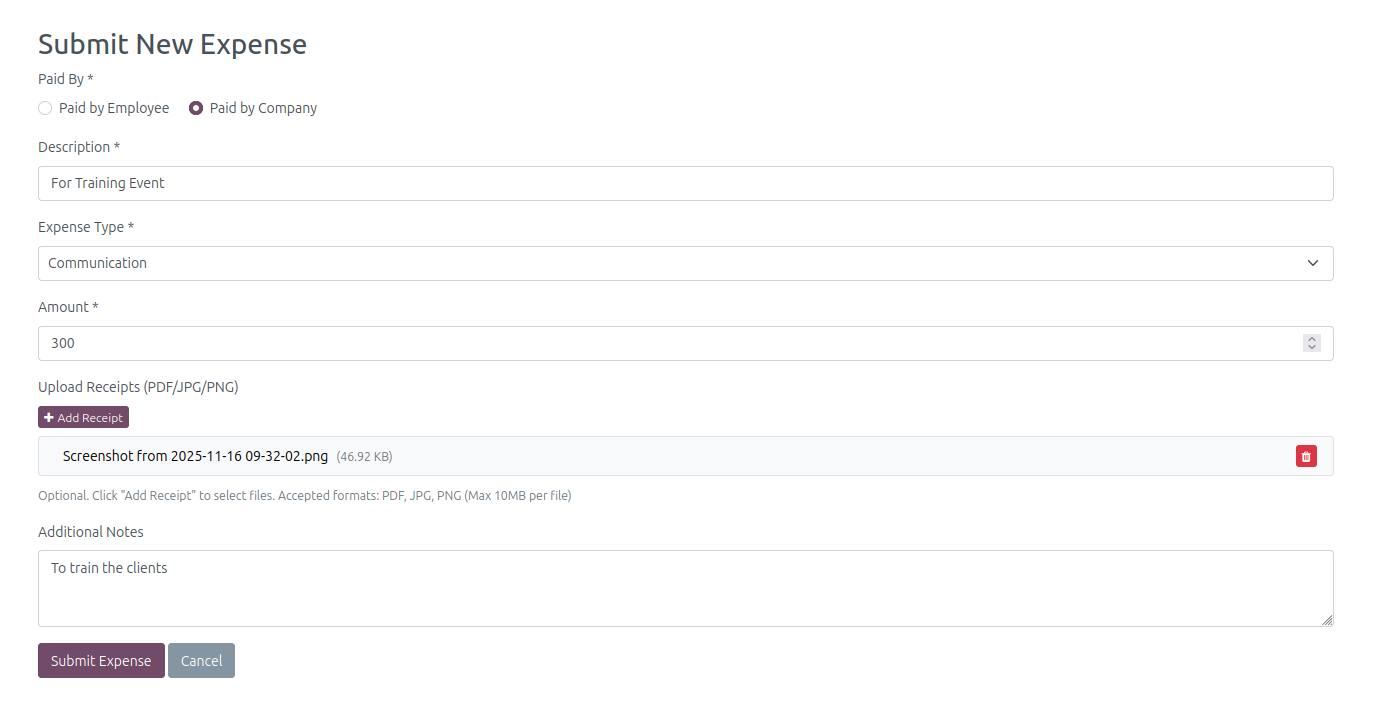
- Fill all fields and attach bill/invoice.
- Click Expense Submit. Your expense is recorded successfully.
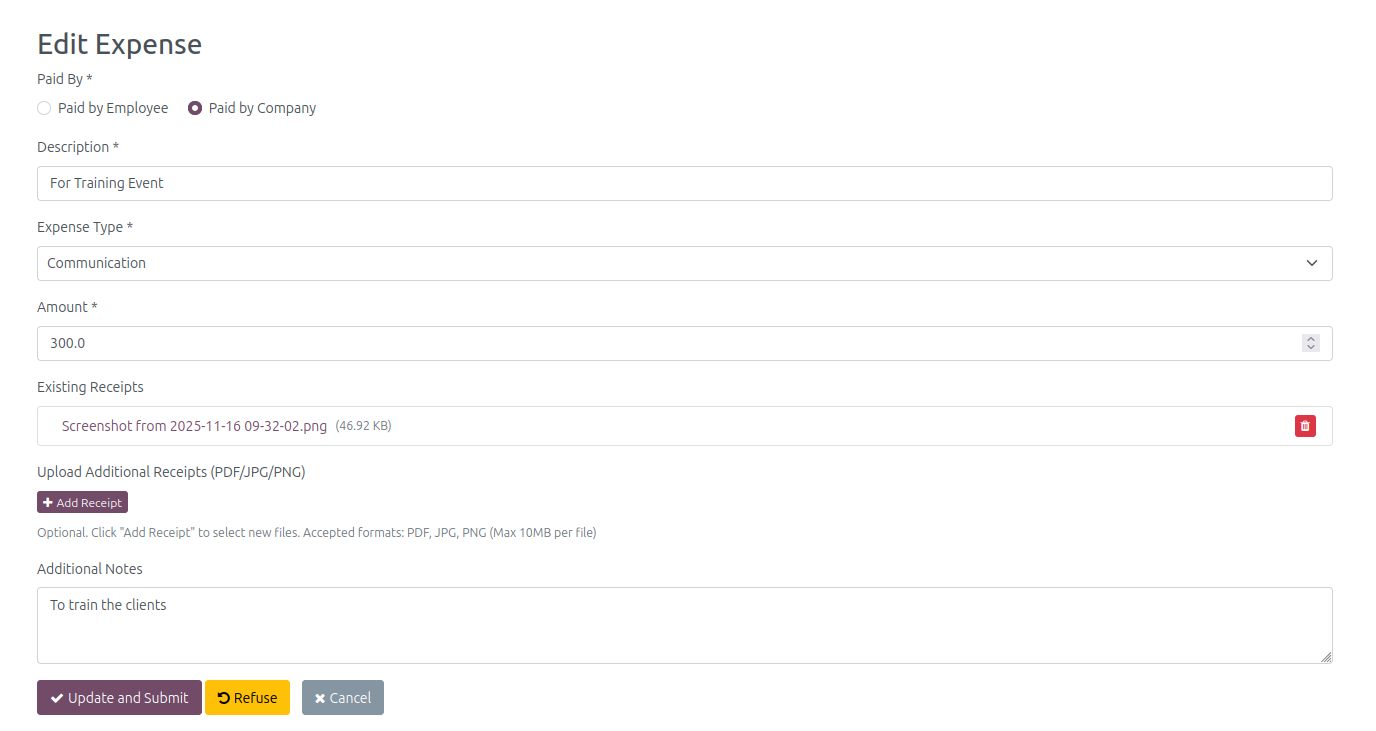
- To edit OR submit/Update/Refuse Expense.
- Click on the action which you want it will open the below view.
- After Update pressUpdate/Submit OR Refuse.
- the Reset option will show when the expense is submitted.
- Here is the backend result.
- Open in form view.

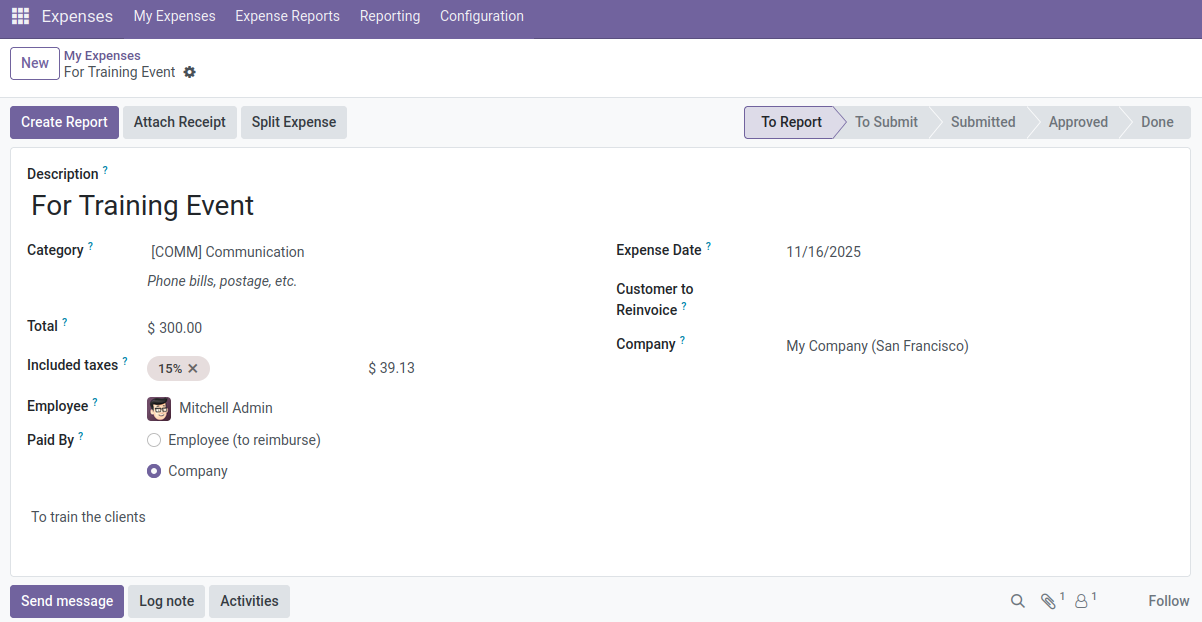
- The Update/Submit/Refuse works like in backend
- Note: Once Approve OR Refused then its becomes readonly.
- Below is the live demo video:
Expense Portal Demo Video

Click to watch on YouTube