All Apps
/
Customer Portal

Description:
Self Customer Portal and Pay from Portal---> No Bankend Needed
Work on both Community and Enterprise
Works for Both Internal and External/Portal Users
Any User you assigned/give access will have the App/Menu on Portal Side
Main Features
- Customer can view and create quotation from portal + Dashboard
- Customer can Pay from Portal
- Different filters available
Configuration
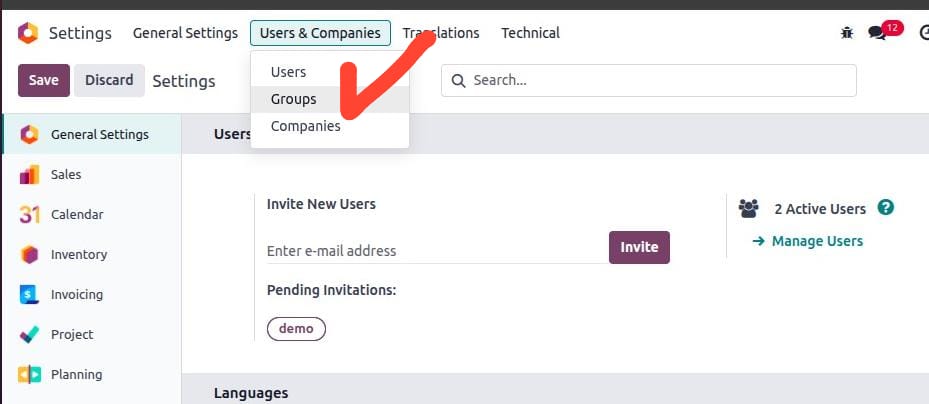
- Next go to Settings → Users & Companies → click on Groups (developer mode must be activated).
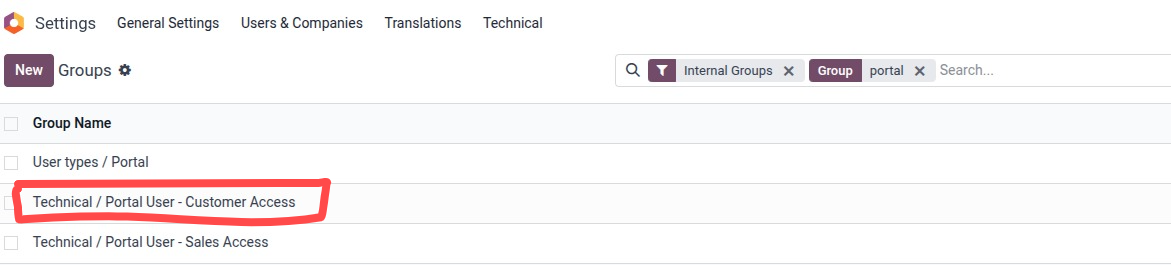
- Search or select the Group "Custom Portal - Customer Access" and click to open.
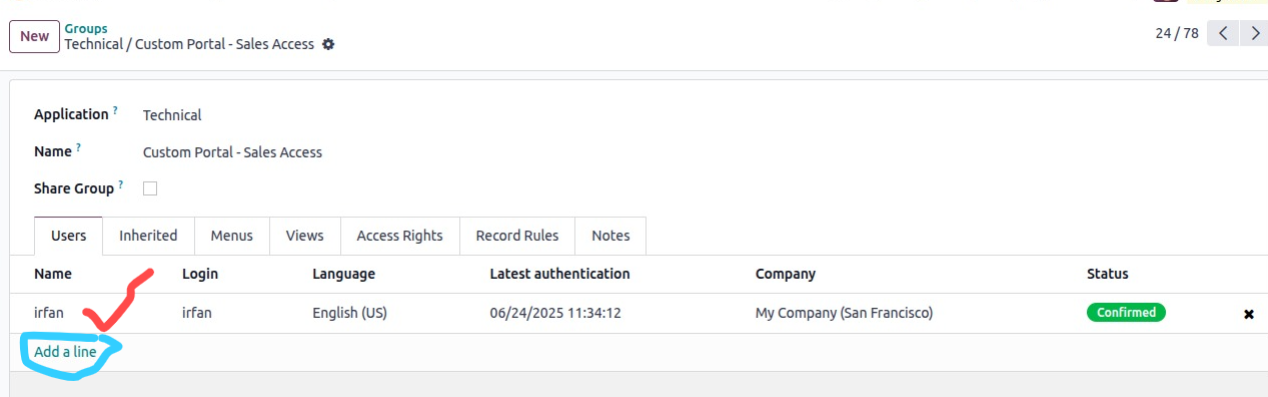
- Add users in the order line.
- Now log in with the user; you will see the App/Menu as below.
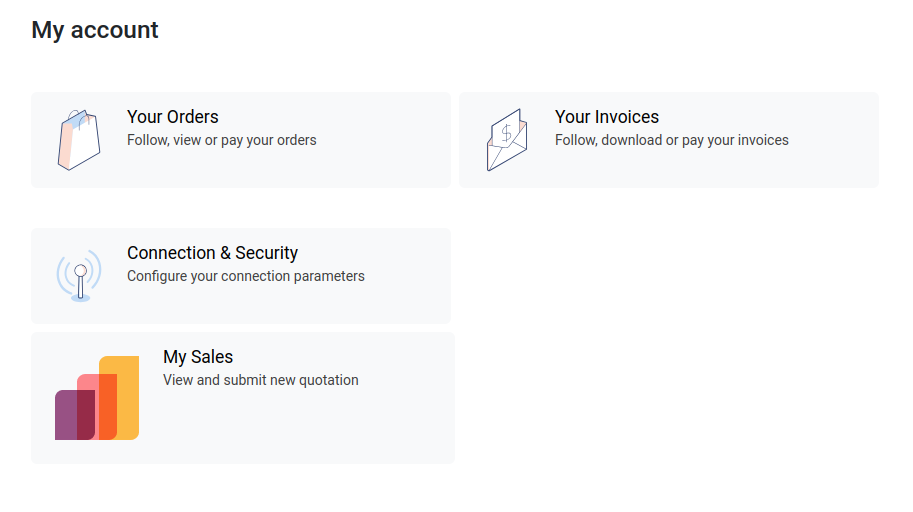
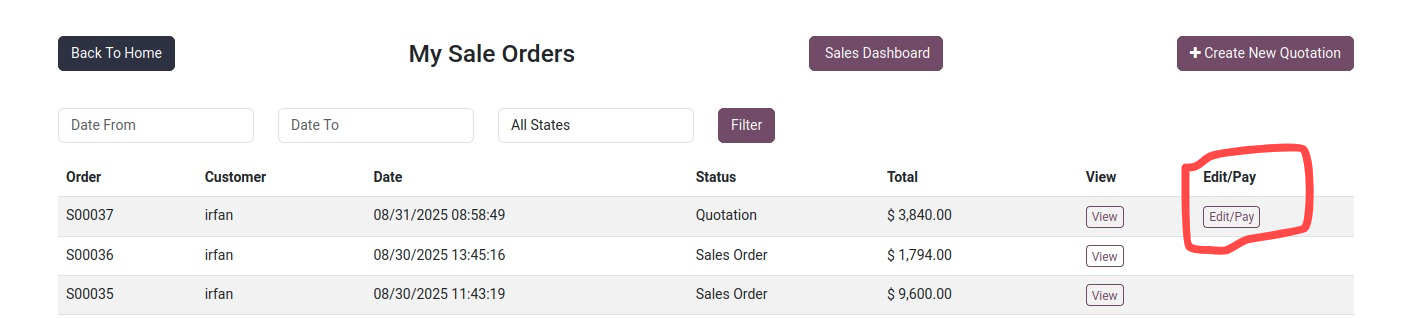
Click on My Sales to open your Quotations/Orders; to create new, click on "Create New Quotation"
To Pay and update/Edit click on the Edit/Pay
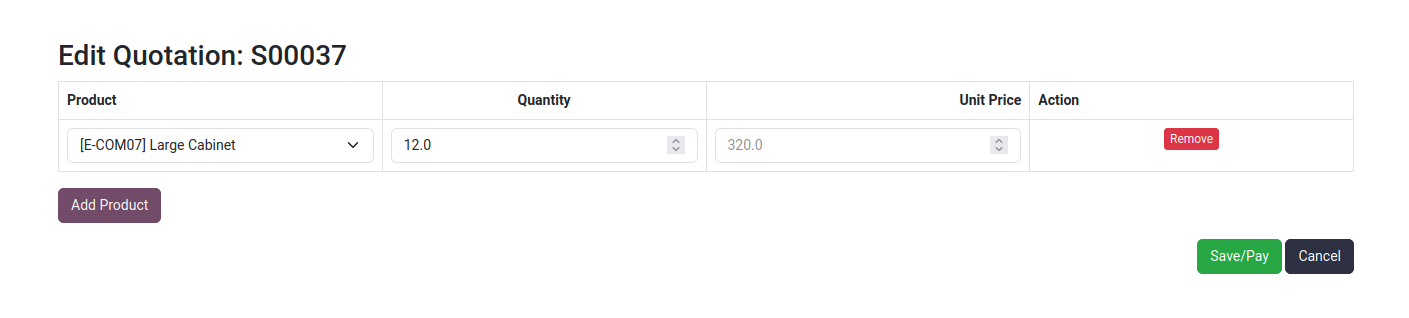
By Click Edit/Pay will open the order you can add/remove products as well as the quantity of the products"
Then Save/Pay
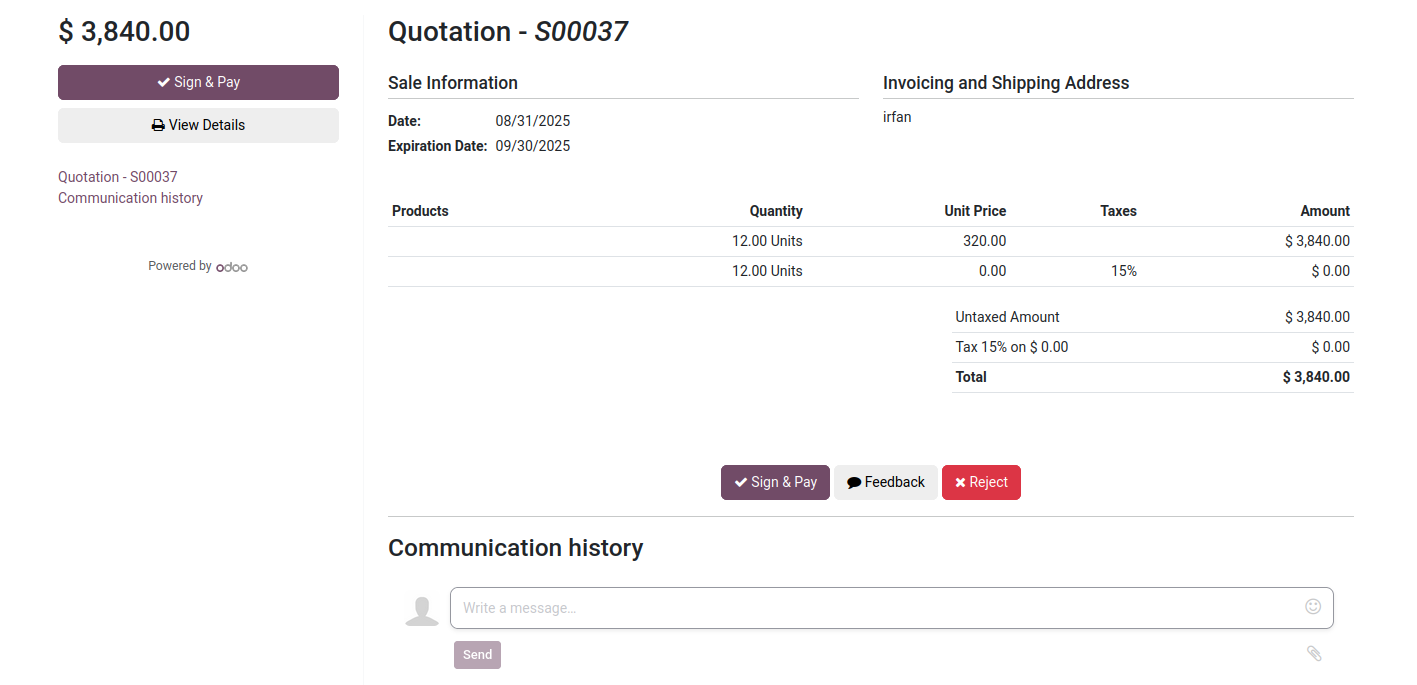
By Click Save/Pay will open the order and Sign & Pay options
Then Save/Pay
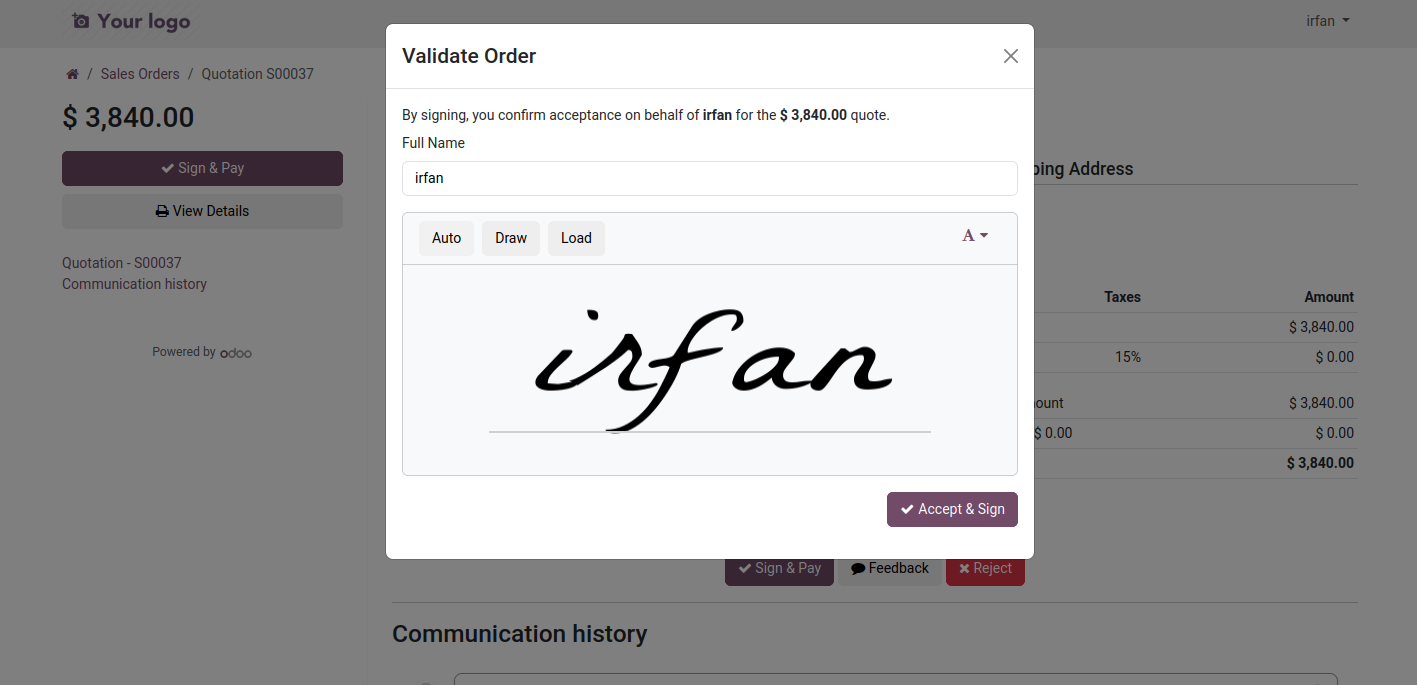
By Click Sing & Pay, Now do your sign and down right Accept & Sign
Next
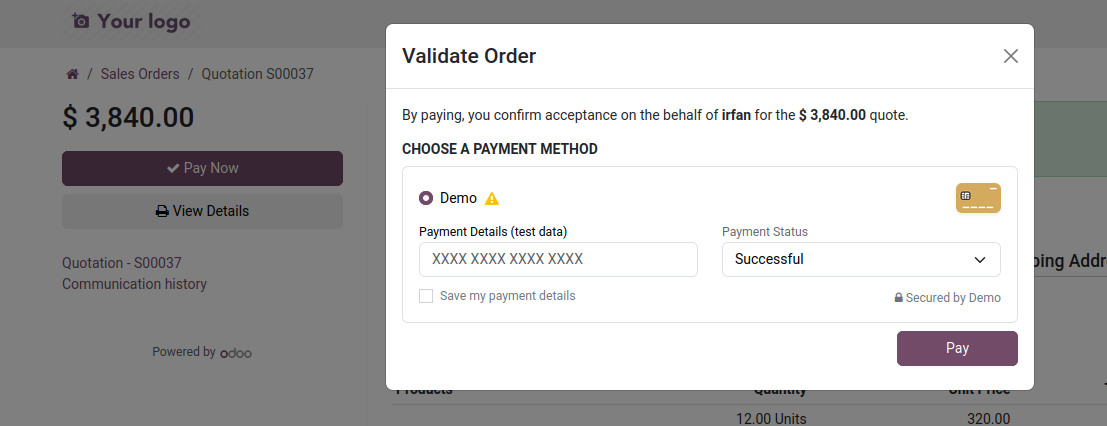
It will pup op the Odoo Payment Method Activated and configured
Proceed with you payment details
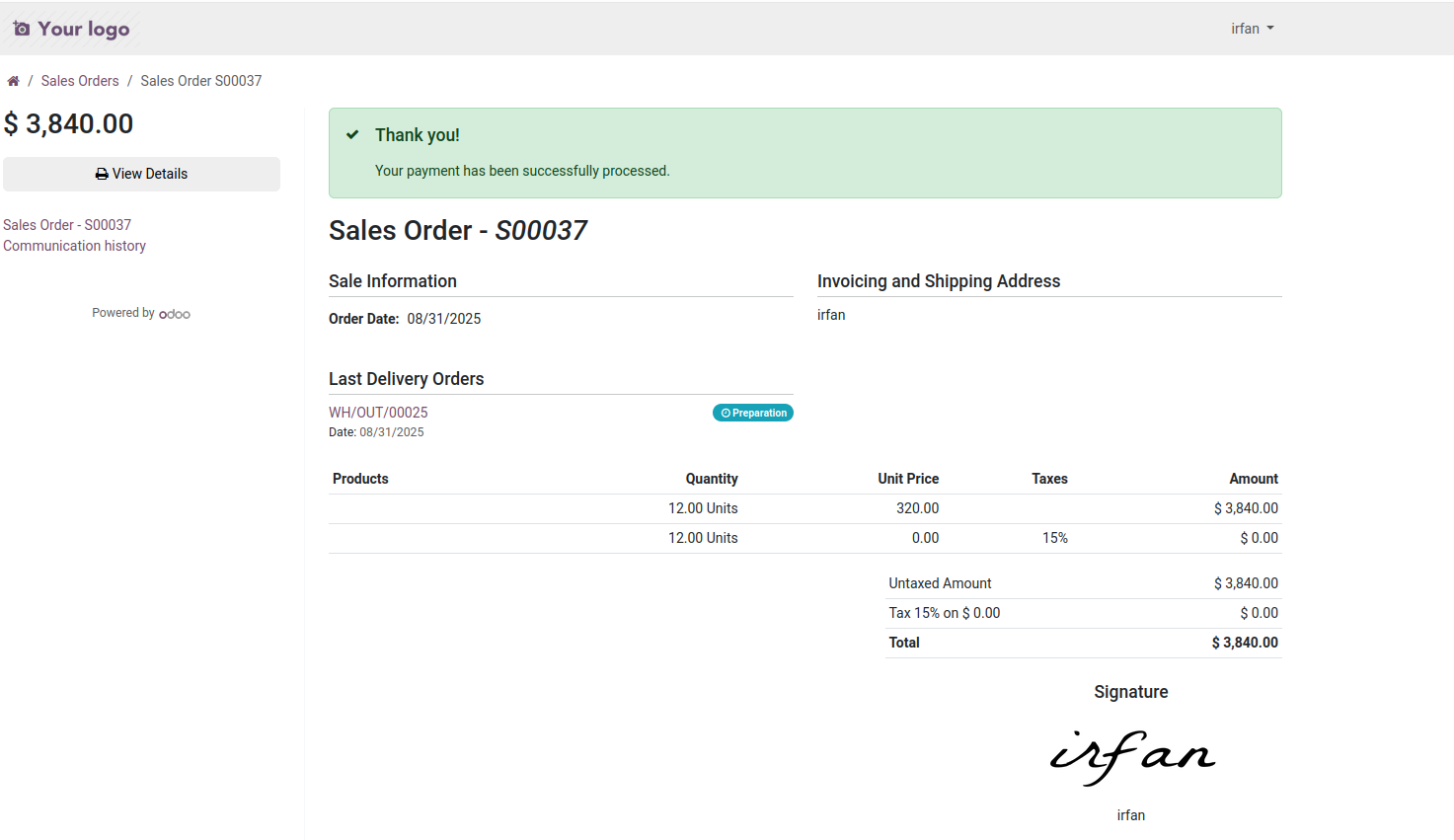
Thank you! Your payment has been successfully processed.
Next
Customer Portal | Payment | Dashboard Demo Video

Click to watch on YouTube