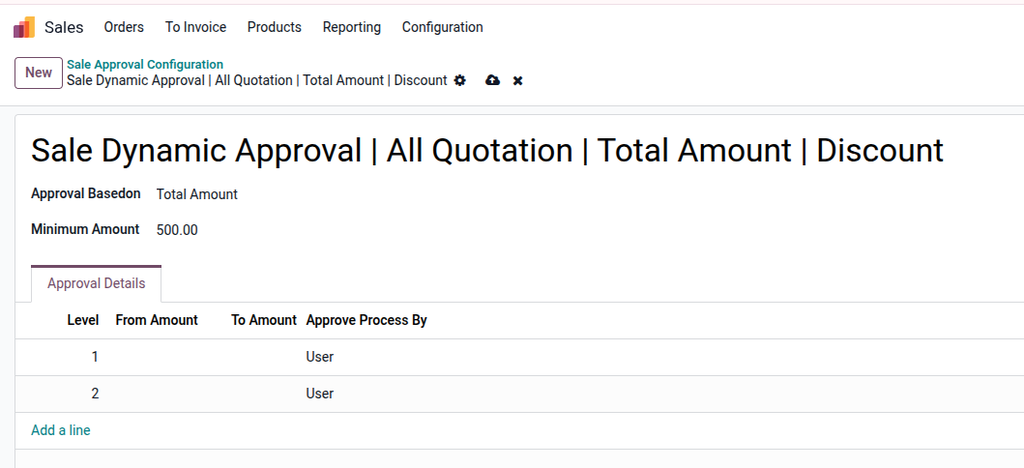
The Dynamic Sale Order Approval module for Odoo provides a flexible, multi-level approval system for sales quotations. Set rules based on total amount, discount percentage, or specific conditions. Includes email notifications, Odoo alerts, and full approval tracking for improved sales control and compliance. Compatible with Odoo Community and Enterprise.
Dynamic Sale Order Approval
Multi-Level Sale Approval with Email & Odoo Notifications
Works on Odoo Community & Enterprise
Control and secure your sales workflow with configurable, multi-level approval rules. Approvals can be based on amount, discount, or All Quotation — with full tracking and notifications.
Main Features
- Multi-level dynamic approval for Sale Orders
- Approval based on total amount, discount (percentage/discount amount), or global rule
- Supports User-based and Group-based approvals
- Email notifications to approvers at each level
- Odoo inbox (bell) notifications
- Chatter messages with full approval history
- Automatic activity (To-Do) creation for approvers
- Unlimited approval levels supported
- Final confirmation only after all approvals
Approval Flow
- Salesperson creates a Sale Order
- Click Confirm → Order moves to Waiting for Approval
- Level-1 approvers receive Email + Odoo notification
- After approval → Level-2 approvers are notified
- Process continues until last level
- Sale Order is automatically confirmed
Configuration
- Go to Sales --> Configuration --> Sale Approval Configuration
- Create an approval rule
- Select approval basis (Total / Discount / All Quotations)
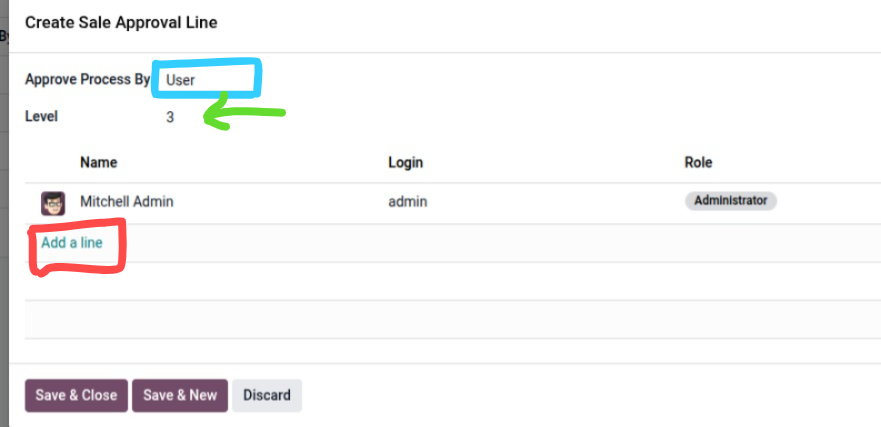
- Add approval levels with Users or Groups
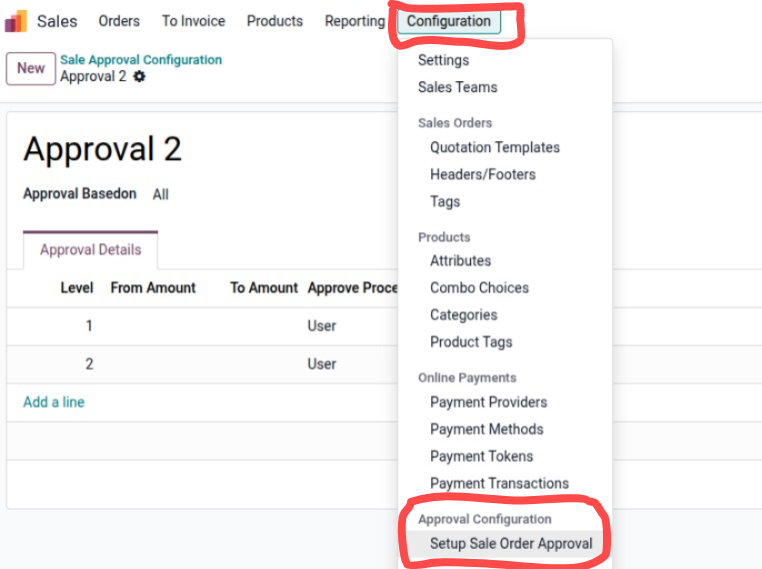
Configure as per your need
- Select approval basis (Total / Discount / All Orders)
- Add approval levels with Users or Groups
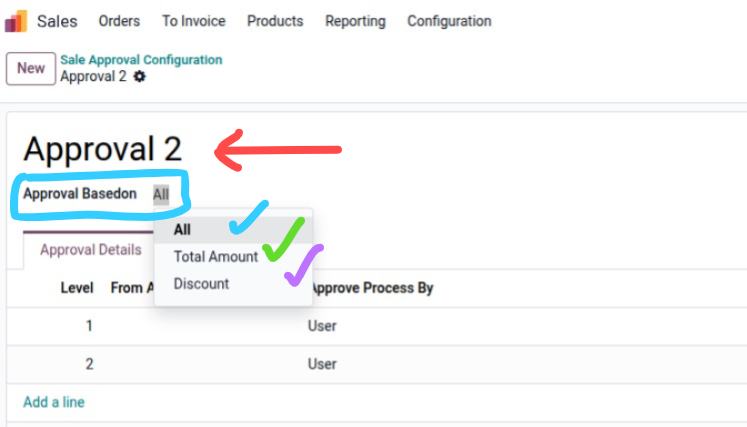
Approval Order Line configuration
- Select approve by (User / Group ) and then level like 1,2,3....
- Add the User as many on a single stage
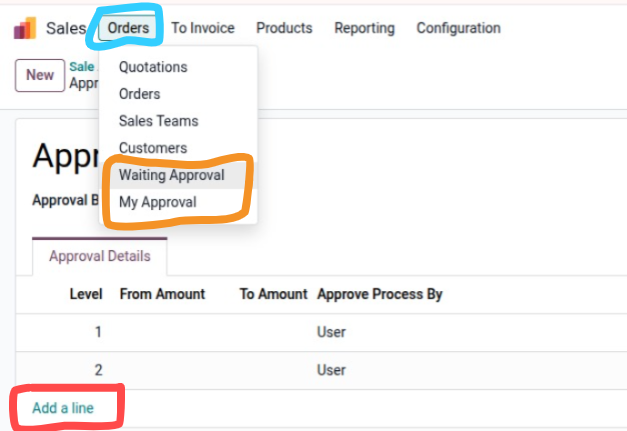
Order Menu
- Two submenus Regrading Approval
First see I set the Approval based on All (All quotation will need approval)
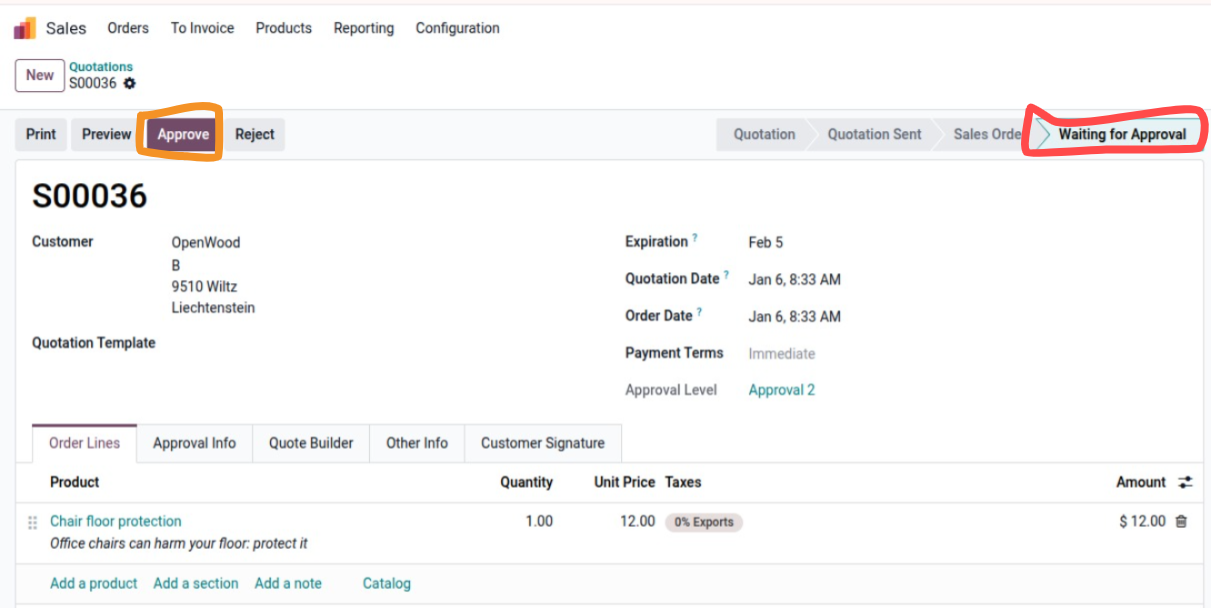
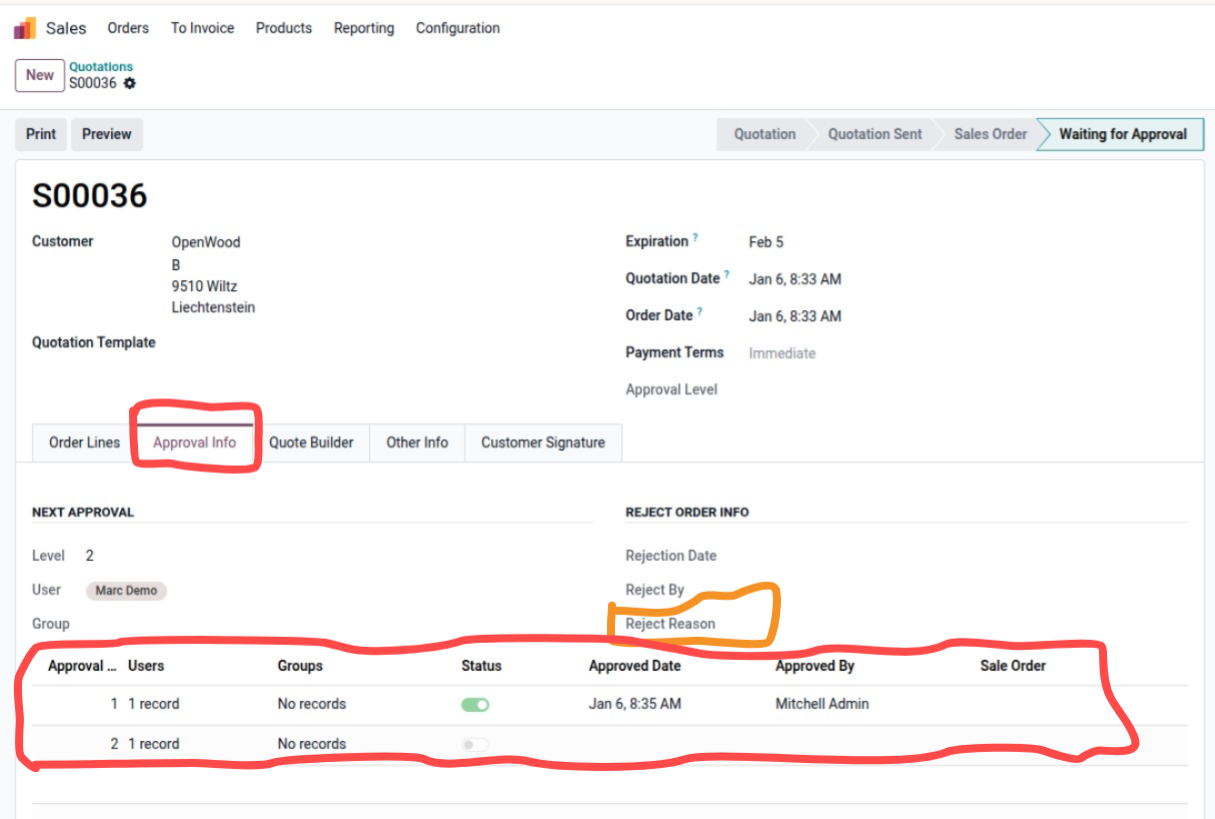
After the first User Approved now its waiting for the second User Approval
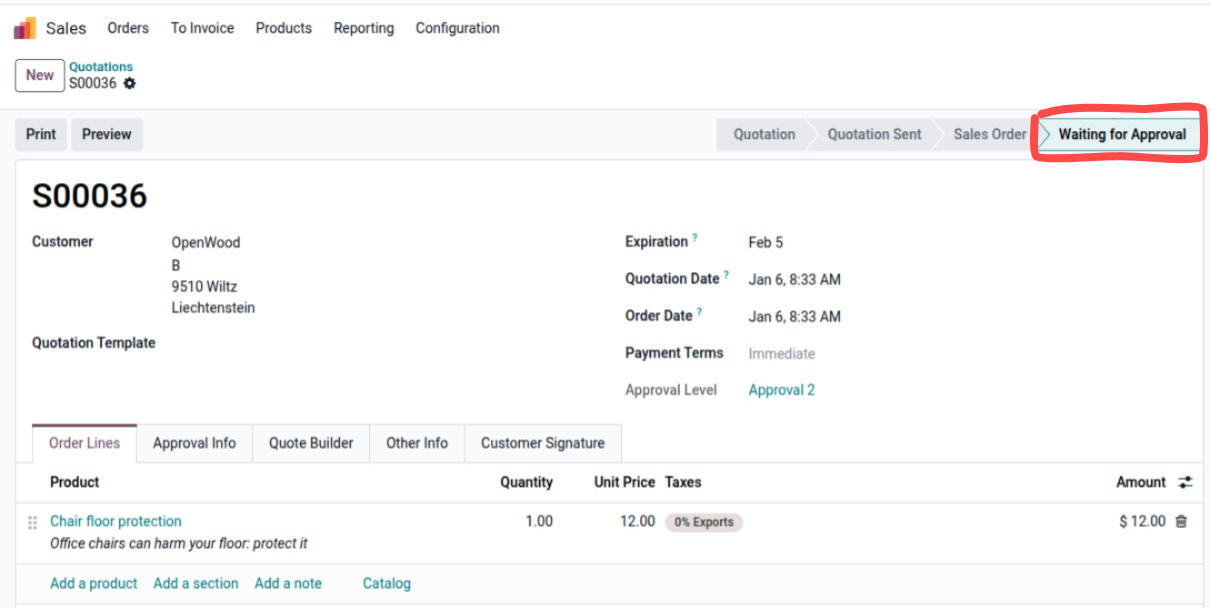
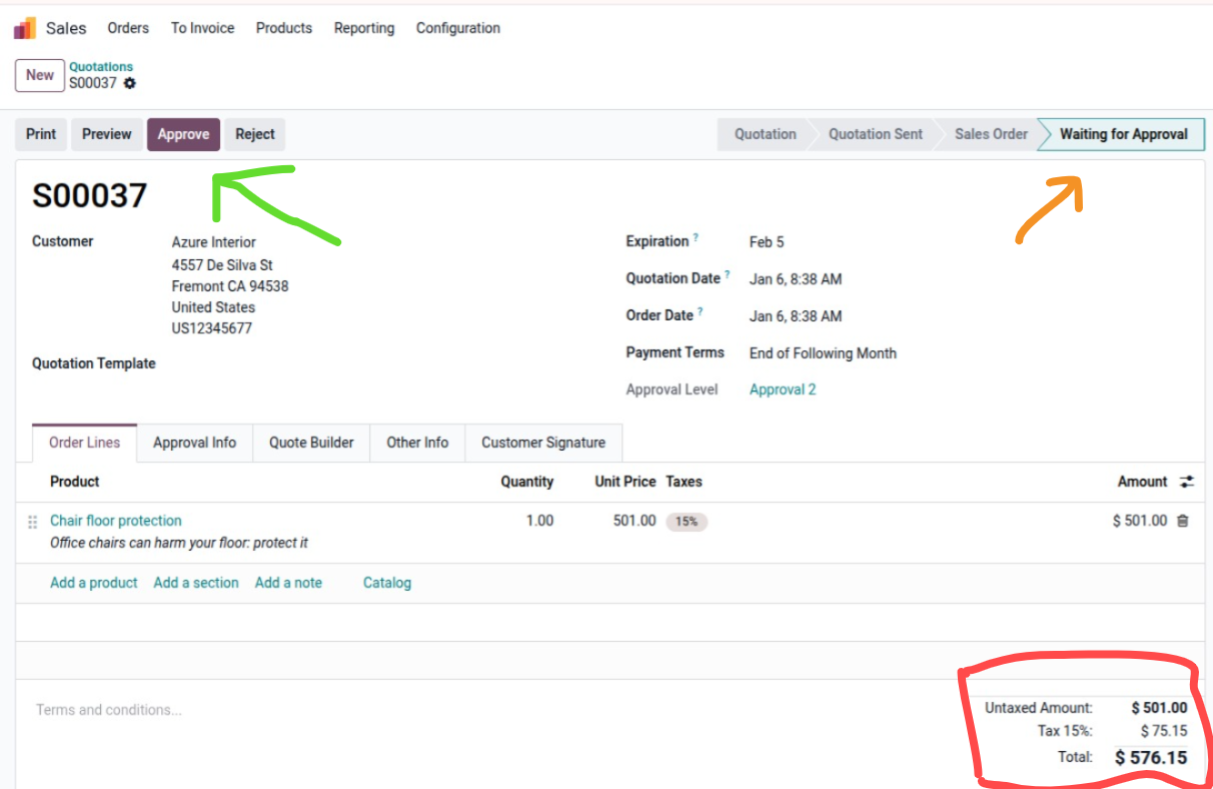
Let's Test on Amount base
- Just update the Approval to amount base and set the Minimum amount
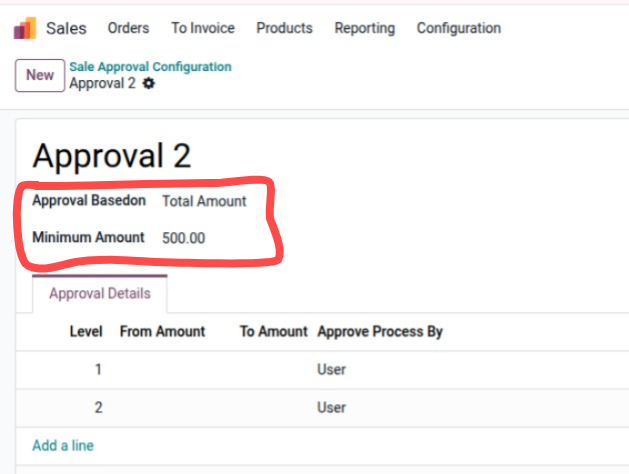
Let's Test on Amount base
- Just update the Approval to amount base and set the Minimum amount
- You will see the when confirm the quotation it will be go through approval
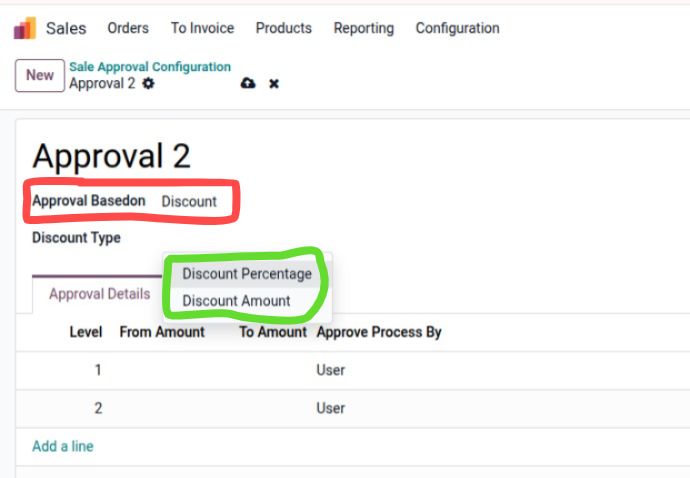
Let's Test on Discount base Two option (Percentage and Discount Amount)
- Just update the Approval to amount base and set the Discount
- You will see the when confirm the quotation it will be go through approval
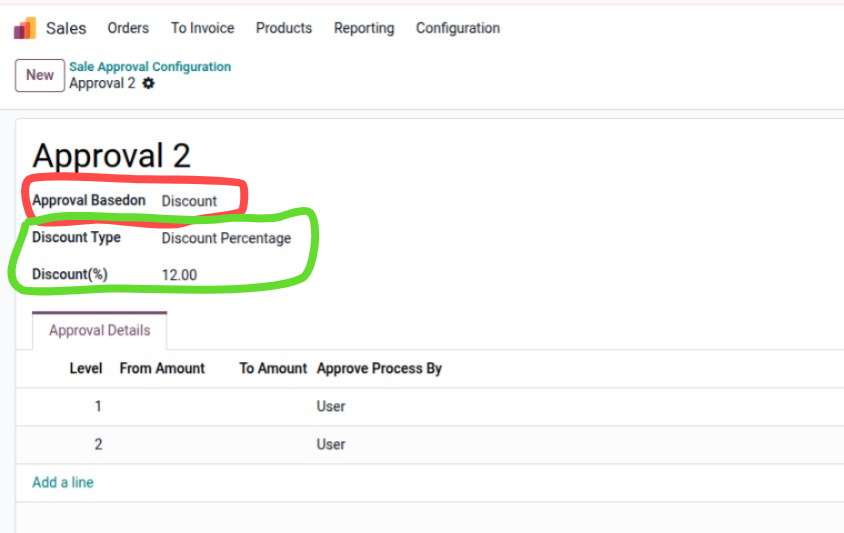
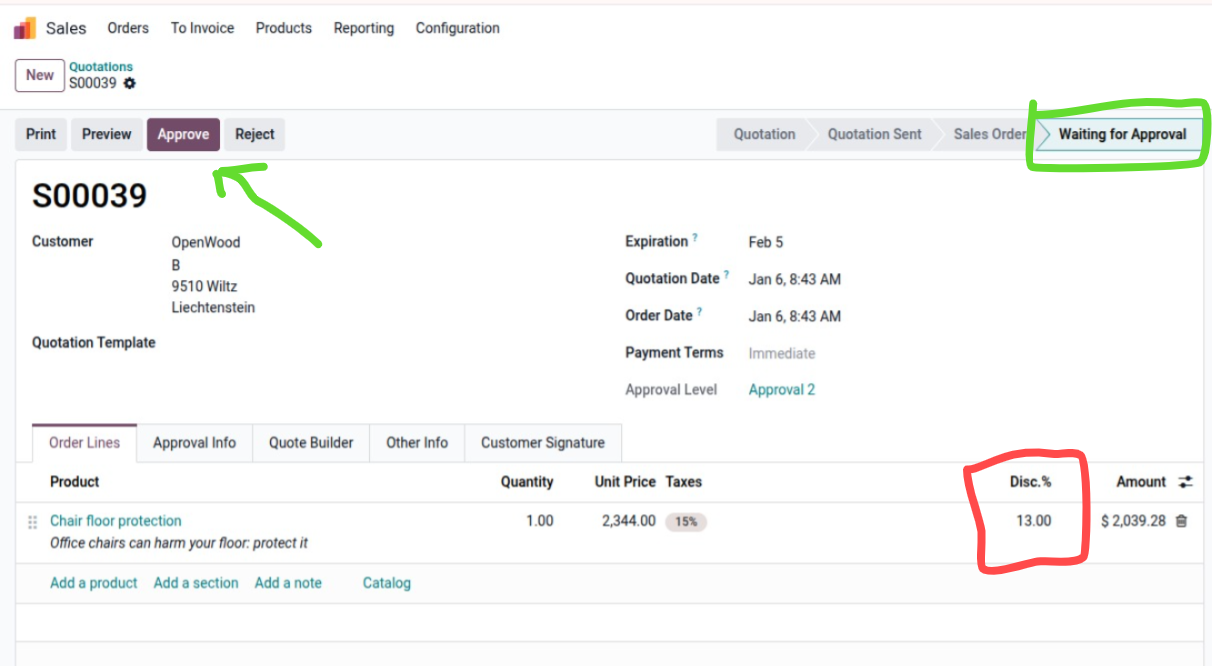
Let's Test on Discount base Two option (Percentage)
- Just update the Approval to amount base and set the Discount
- You will see the when confirm the quotation it will be go through approval
Approver and Rejecter Users Details
Thanks for choosing my solution
Specifications
| Version | 17.0, 18.0, 19.0 |